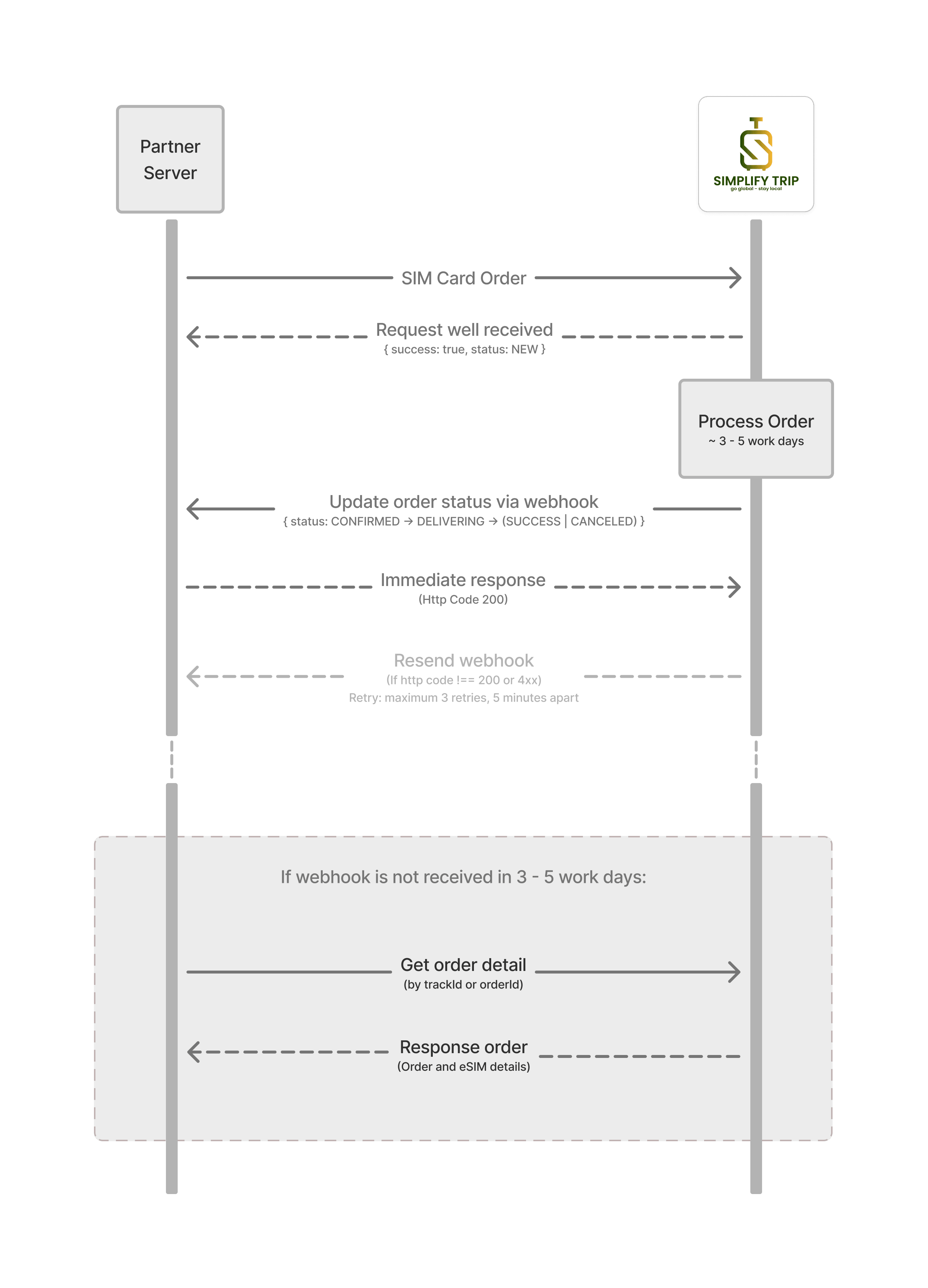
Physical SIM Order Processing Workflow
- Create an order with
POST /api/v1/orders, signed withX-Signature. Send a uniquetrackIdand save the returnedorderIdand eachsubOrderId. - Use only
SIMitems and configure the institution’s address and phone before ordering. The new order starts atNEW. - Follow confirmation and delivery updates (
CONFIRMED,DELIVERING) untilSUCCESS. QueryGET /api/v1/orders/:idor process order webhooks. - Before processing starts, cancel with signed
POST /api/v1/orders/cancel. The order and every item must still beNEW.