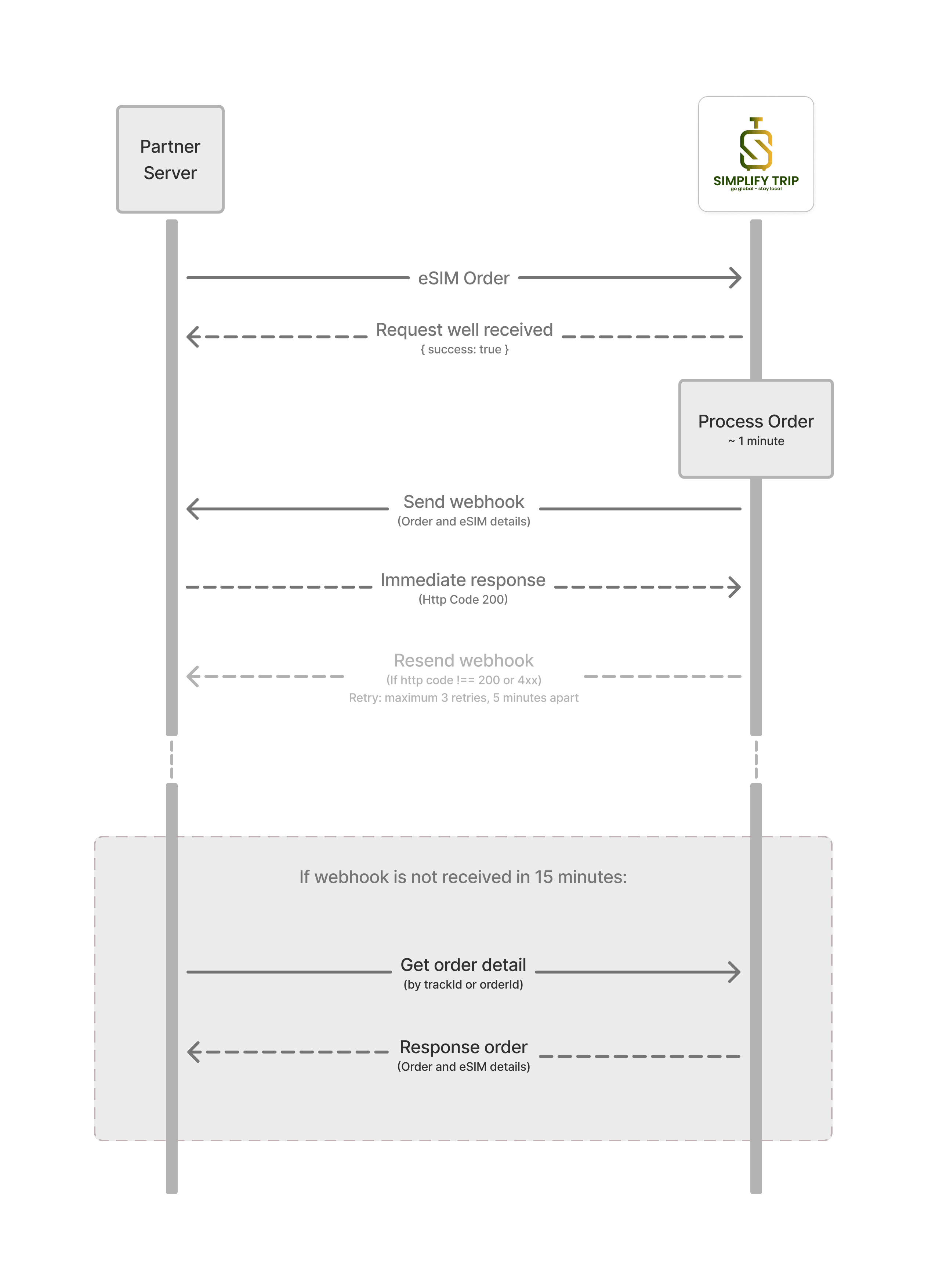
eSIM Order Processing Workflow
- Create an order with
POST /api/v1/orders, signed withX-Signature. Send a uniquetrackIdand save the returnedorderIdand eachsubOrderId. - Use only
eSIMitems. The create response starts atPROCESSING;success: trueonly confirms creation. - In live mode, fulfillment runs asynchronously. Receive the delivery webhook (default
deliveryType: WEBHOOK), or chooseEMAILand providecustomerEmailandcustomerName. - Query
GET /api/v1/orders/:idusing the order ID ortrackId. AfterSUCCESS, readitems[].eSimsfor ICCIDs and activation/QR data.